Table of Contents
- 1. Introduction: What is the withdrawal button?
- 2.How does withdrawal work with Sweap?
- 3. Step by step: setting up the module
- 4. What happens after a withdrawal request?
- 5. Your responsibility
- Frequently asked questions (FAQ)
- When does the obligation take effect?
- Does the button apply to all events?
- Where does the button appear?
- I don't sell my tickets through Sweap. Can I still use the feature?
- Does Sweap automatically change the status or refund the money after a withdrawal?
- Which address are the emails sent from?
- Does the withdrawal also apply to accompanying persons?
- Is Sweap itself affected by the law?
The withdrawal button (Section 356a BGB) – implementing it with Sweap

- 1. Introduction: What is the withdrawal button?
- 2.How does withdrawal work with Sweap?
- 3. Step by step: setting up the module
- 4. What happens after a withdrawal request?
- 5. Your responsibility
- Frequently asked questions (FAQ)
- When does the obligation take effect?
- Does the button apply to all events?
- Where does the button appear?
- I don't sell my tickets through Sweap. Can I still use the feature?
- Does Sweap automatically change the status or refund the money after a withdrawal?
- Which address are the emails sent from?
- Does the withdrawal also apply to accompanying persons?
- Is Sweap itself affected by the law?
1. Introduction: What is the withdrawal button?
From 19 June 2026, Section 356a of the German Civil Code (BGB) requires many online providers to offer a withdrawal function: a clearly recognizable, permanently accessible button that lets consumers withdraw from a contract concluded online directly — without an email template, without a PDF, without detours. With this, Germany implements the amended EU Consumer Rights Directive (EU 2023/2673).
Key points to understand:
- The button complements the existing withdrawal channels (email, form, letter) — it does not replace them.
- It applies to B2C distance selling: paid contracts with private individuals concluded via a website or app, and only where a statutory right of withdrawal exists.
- For date-bound leisure events (e.g. concerts, festivals), there is generally no right of withdrawal under Section 312g (2) no. 9 BGB — and therefore no obligation to provide a button.
So the obligation does not apply to all events across the board. Whether it affects you depends on your specific setup.
Does the law affect Sweap customers?
Sweap itself, as a tool provider, is not directly affected. The legal responsibility — whether a right of withdrawal exists and what your withdrawal policy says — lies with you as the organizer. Sweap provides the technical function you need to meet the requirement.
2.How does withdrawal work with Sweap?
To implement it, the Website Builder offers the "Withdrawal Button" module. It is only available for paid events and is placed on your registration page like any other module.
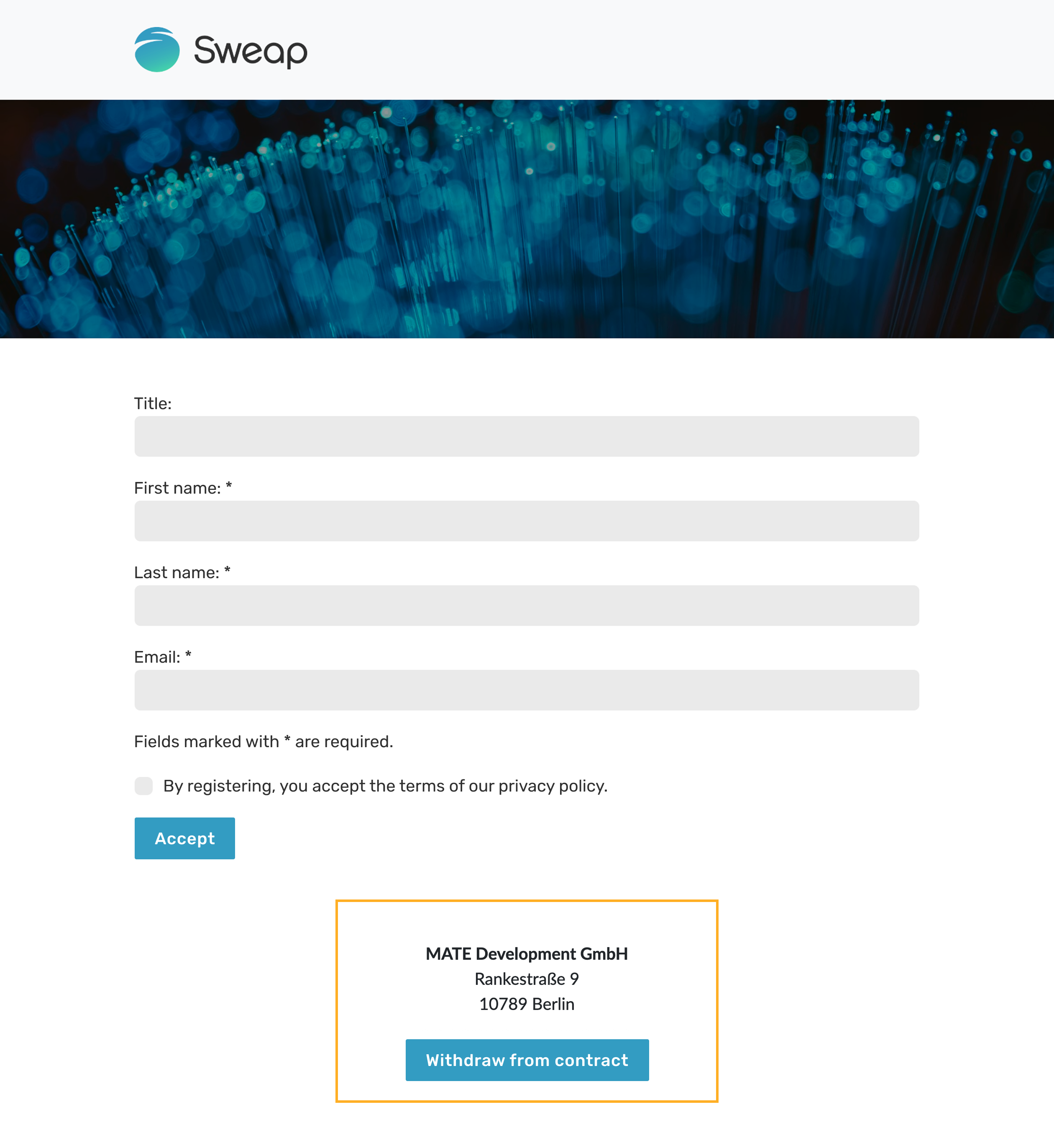
The process:
- The guest clicks the withdrawal button.
- A form opens. The guest enters their email address and name and confirms the withdrawal declaration.
- Sweap matches the email address against your guest list:
- Match: the guest receives a confirmation of receipt, and you as the organizer receive a notification.
- No match: the guest is informed that no matching booking was found. You do not receive a notification.
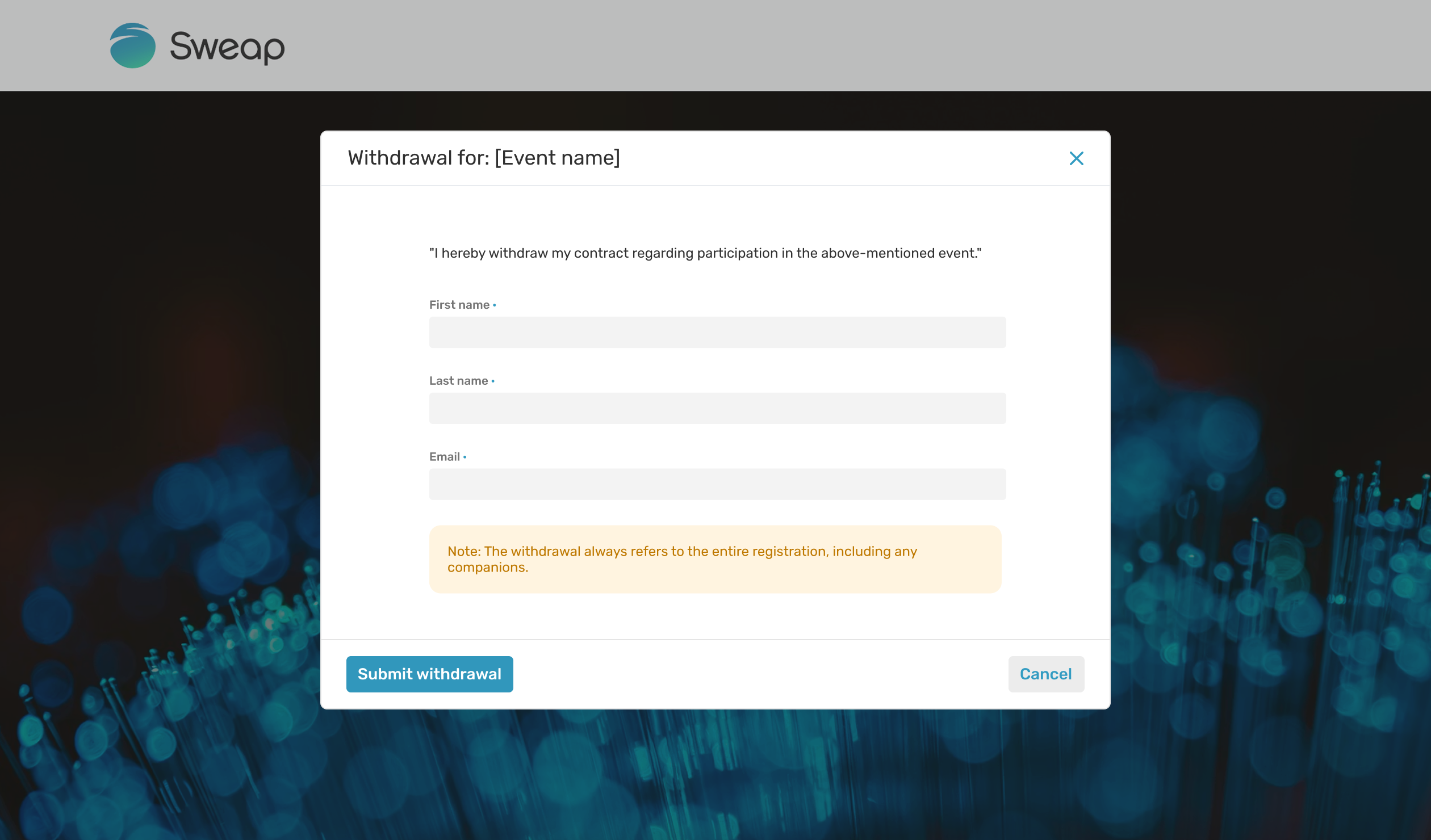
Every request is stored with a timestamp, the submitted data, and the match status for 30 days, so that a record is available.
3. Step by step: setting up the module
- Open your registration page in the Website Builder (paid event).
- Add the "Withdrawal Button" module manually at the desired position. We recommend using it as a footer.
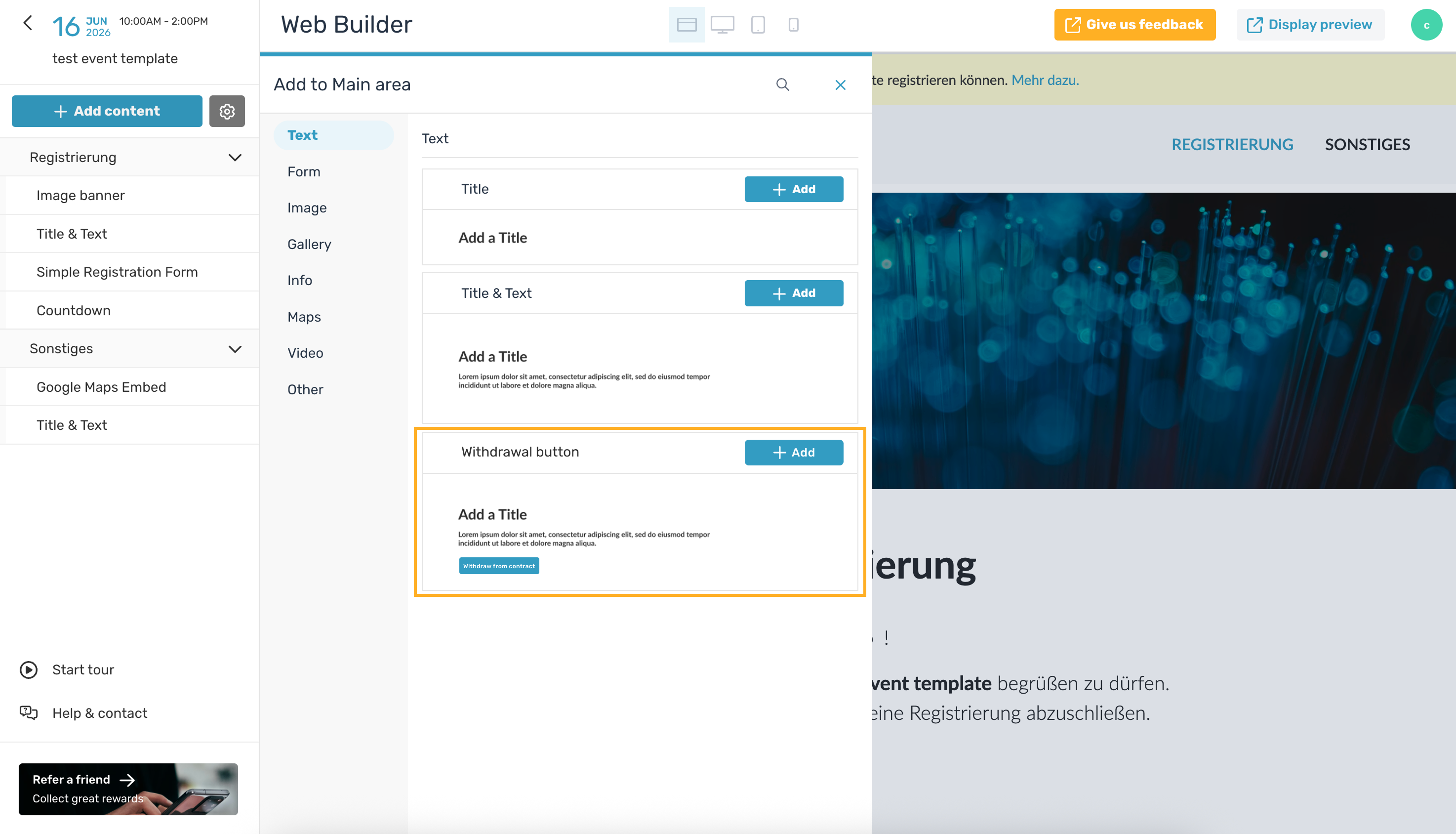
- Make sure the button is clearly visible — an inconspicuous placement does not meet the legal requirement.
- In the module settings, enter the organizer email address that withdrawal notifications should be sent to.
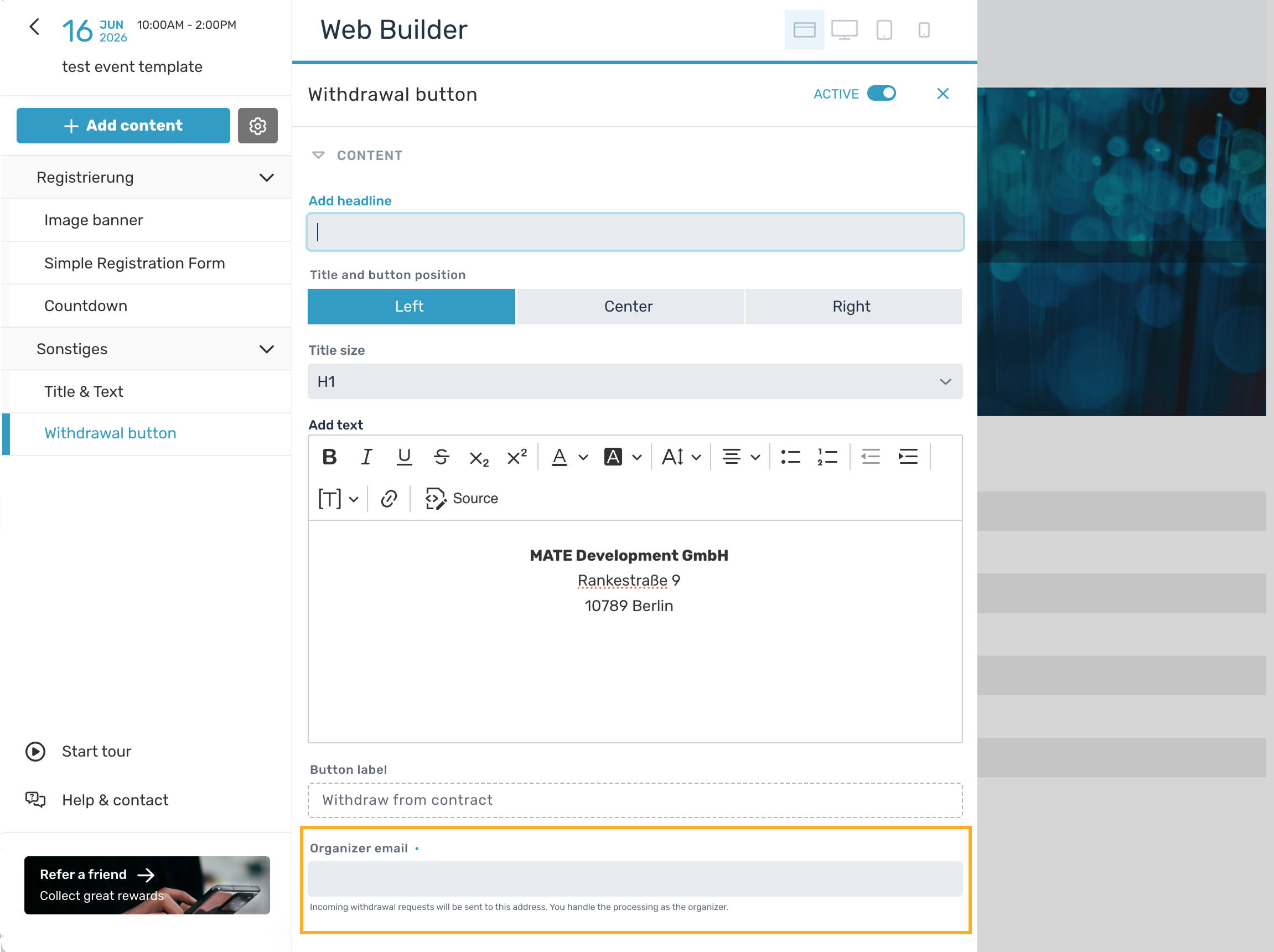
- Publish your registration page.
The module is already included in the default templates for paid events. If you use an existing registration page or your own template, add the module there manually.
4. What happens after a withdrawal request?
After submitting, the guest sees a confirmation that their request has been received.
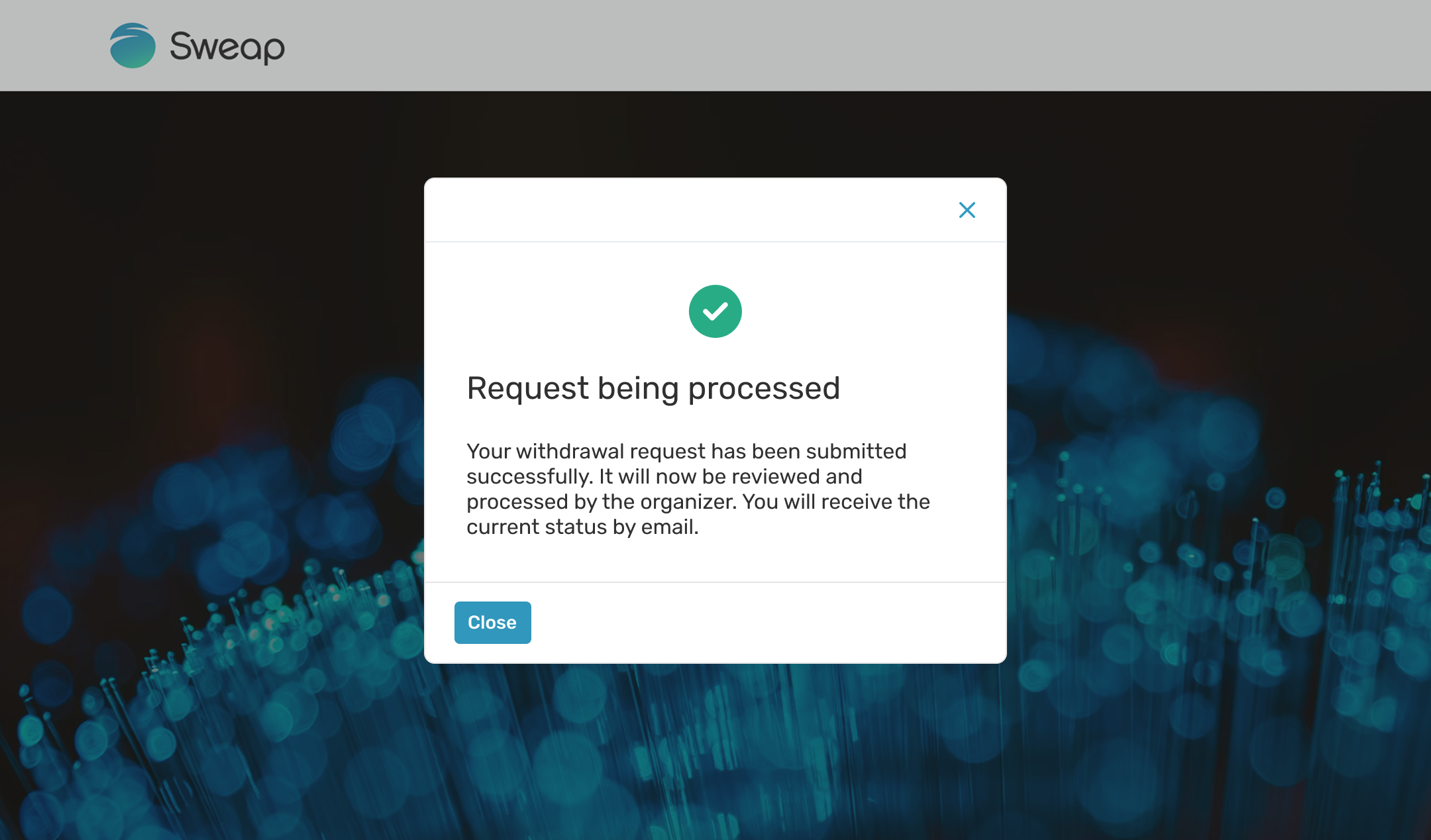
Sweap does not make any automatic change to the booking and does not change any status. The actual processing is up to you:
- You receive the notification with the event name, date, name, email, and the time of the withdrawal declaration.
- You review and process the request within the legal deadlines (cancellation and refund if applicable).
- The guest automatically receives a confirmation of receipt as a record of their declaration.
All withdrawal emails are sent from your account's default sender email address.
5. Your responsibility
Sweap takes the recurring technical work off your hands. What remains your responsibility:
- checking whether your events trigger a right of withdrawal at all,
- updating your withdrawal policy and privacy policy by the deadline,
- processing and documenting incoming withdrawals on time.
Frequently asked questions (FAQ)
When does the obligation take effect?
From 19 June 2026 (Section 356a BGB).
Does the button apply to all events?
No. It is mainly relevant for paid B2C offerings with a statutory right of withdrawal. Date-bound leisure tickets are generally exempt.
Where does the button appear?
You add the "Withdrawal Button" module yourself via the Website Builder on your registration page — we recommend the footer. The module is only available for paid events.
I don't sell my tickets through Sweap. Can I still use the feature?
Please contact Support for this.
Does Sweap automatically change the status or refund the money after a withdrawal?
No. You handle the processing (cancellation, refund) manually. Sweap only triggers the notification and confirmation emails and logs the request for 30 days.
Which address are the emails sent from?
The confirmation and notification emails are sent from your account's default sender email address.
Does the withdrawal also apply to accompanying persons?
Yes, the withdrawal also applies to all accompanying persons linked to the registration.
Is Sweap itself affected by the law?
No. As a tool provider, Sweap is not directly affected. We provide the function; the legal responsibility lies with you.